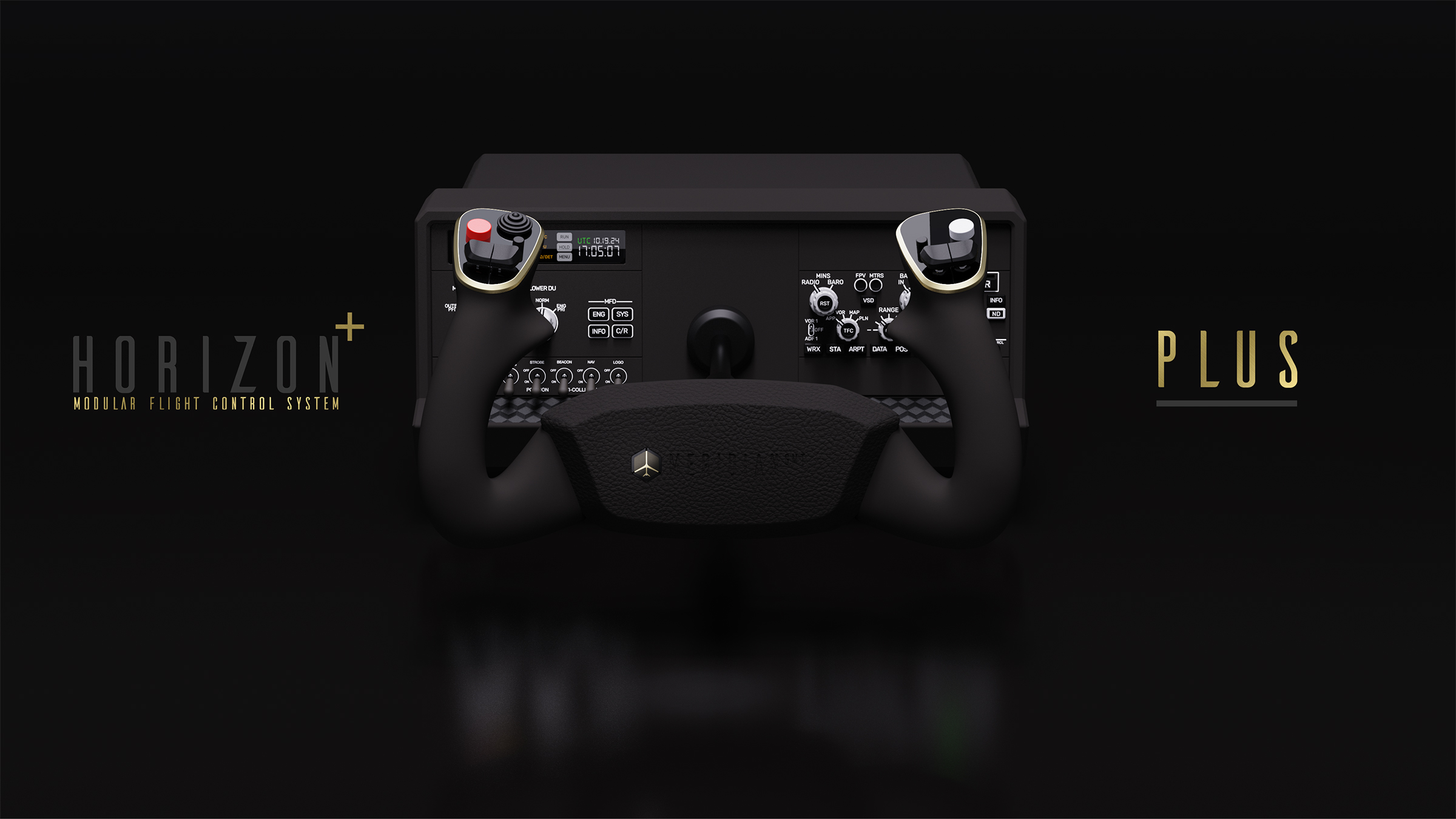
Horizon Plus Flight Controls
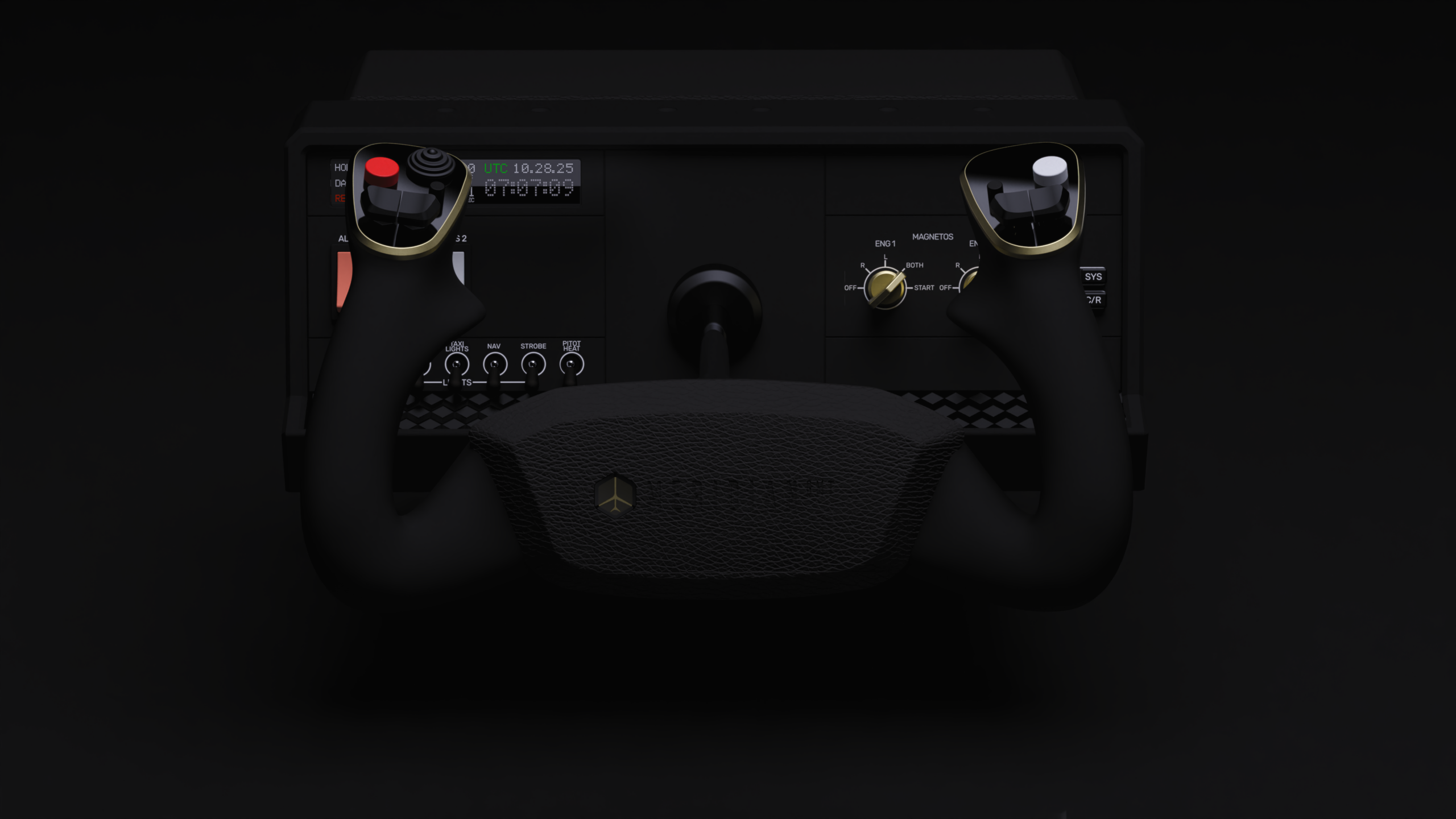
Base
- ModulAIR Avionics™
- General Aviation Modules and Panels
- Single and Dual Engine Ignition Switches
- Master and Avionics Bus Panel
- Touch Screen panel options include GPS connected chronometer, annunciator panel and more
- Commercial Aviation
- Display Unit and MFD panel for Boeing Aircrafts
- Hybrid 737/787 EFIS Panel compatible with all Boeing Aircrafts
- Touch Screen panel options include Master Warning and Caution buttons, annunciator panel, panel gauges and more
- Toggle Panel
- 7 x 3-position toggle switches
- GA Light Switch + Fuel Pump and Pitot Heat Cover
- Commercial Light Switch Cover
- Control Surfaces
- Steel Shaft with Quick Release Mount
- Full 180° Zero Detent Roll Axis
- 5 Inch Asymmetrical Pitch Axis (60/40 fore/aft)
- 16 Bit High Definition Hall Effect sensors
- Sentient FlightDeck Intelligence™
- Aurora™ Ambient Lights
- Steel Shaft with Quick Release Mount
- 7 x 3-position toggle switches
- General Aviation Modules and Panels
Yoke Handle
- Handle Design
- Forward curving design adapted to accommodate center-mounted iPad/Clipboard
- Perfectly molded grips and thumb rest based on advanced ergonomics studies, shaped for maximum comfort during long haul flights
- Buttons and Switches
- A/P Disconnect
- 3 additional buttons for PTT etc.
- Hat Switch
- Grip contoured, integrated “invisible” triggers and shoulder buttons
- Two dual rocker trim switches designed for both single and dual pilot cockpits
- Center Cap with premium Leather Textured surface
- iPad/Clipboard mount with Sub-Surface Magnetic Attachment Point
- Impulse™ Dual Phase Haptic Feedback
- Quick Release Mount
- Forward curving design adapted to accommodate center-mounted iPad/Clipboard
Additional Features
- Aluminum Frame Mounting Point
- Dual-Shaft system
- Meridian FlightDeck (TBA) and 3rd Party Avionics
- USB‑C Hub
- Under‑Table Mount Attachment Points
- CAM locks for Table Mount
- Back casing with premium Leather Textured surface
- Compatibility: PC & MAC
- Mounting:
- Fixed installation:
- Materials:

- Under table Mount
- Dual Shaft
- Commercial Floor Colum Yoke (Dual Shaft Mount)
- Center Flight Stick (Dual Shaft Mount – Under Table Mount Required)
The Horizon Plus Flight Controls is our new yoke system, with a remarkable range of features and innovations. This is a next-generation yoke that moves the needle on authenticity and compatibility across all aircraft categories.
The integrated ModulAIR™ avionics bays include swappable modules for Boeing and General Aviation configurations, with compatibility for future in-house and certified third-party modules.
Both the full 180° roll axis and the patent-pending asymmetrical pitch axis feature high-end 16 Bit Hall Effect sensors connected to a solid steel, black-chrome yoke shaft. An auxiliary shaft mount with quick-release mechanism enables you to replace the standard single-shaft yoke with our patent-pending Dual-Shaft system (sold separately, not available at launch). The system supports interchangeable control formats such as the Commercial Yoke (mirroring the perpendicular column rotation found on Boeing and other commercial aircraft) and a Center Flight Stick, for a floor-mounted central stick or helicopter cyclic feel, (under-table mount recommended), dramatically expanding the realism for different aircraft types.
The patent-pending Impulse™ Dual-Phase Haptic Feedback integrates two different types of actuators into the yoke handle, adding authentic tactile cues from aircraft warning systems and environmental forces. You’ll feel effects like stick shaker vibration, airframe resonance, landing gear thumps, turbulence jolts and more, bringing you closer to real flight sensations.
Additional new features include a customizable touchscreen display, the Aurora™ Ambient Light system, under-table mounting points, a built-in USB-C hub, yoke grips with ergonomically hidden triggers, and much more. The aviation-grade aluminum frame and base covered in premium leather-textured surfaces matched the quality feel of the controls.
There’s so much more to this yoke. Read on below for all the details.
Welcome onboard,
Nicki Repenning
Founder, Meridian GMT, et al
Base & ModulAIR™ Avionics Suite
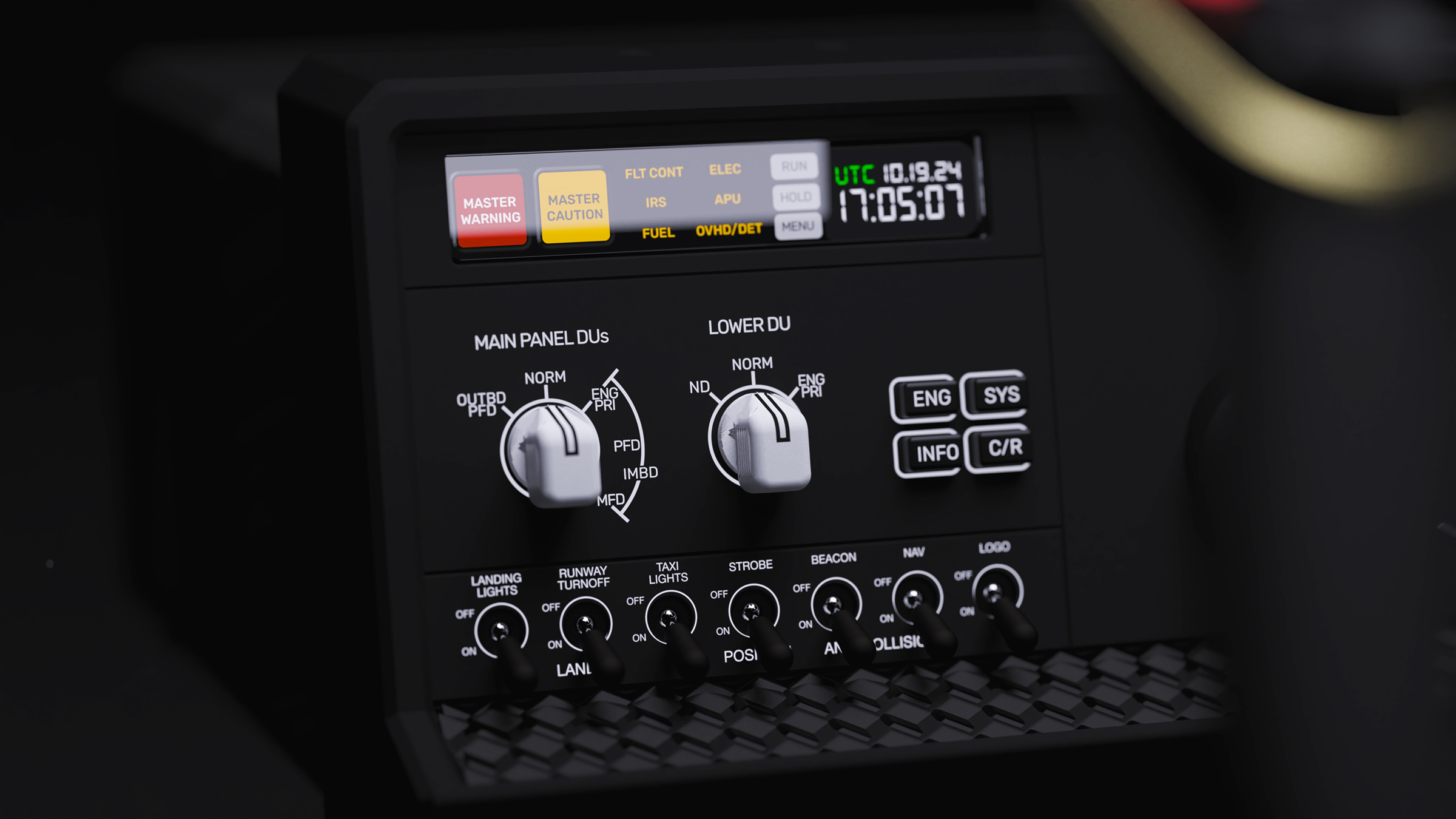
The Horizon Plus base is a modular avionics platform that can adapt to different aircraft by swapping panels and controls. The ModulAIR™ avionics bays on the left and right of the base includes dedicated modules for Boeing or General Aviation (with more to come), letting you configure your yoke for an airliner or a GA cockpit in seconds. A front rocker switch panel provides a bank of toggle switches for essential systems, with magnetic overlay panels to match Boeing or GA layouts. The Aurora™ ambient lighting, Impulse™ Dual-Phase Haptic Feedback and the Sentient™ FlightDeck Intelligence software link the Horizon Plus with the Latitude Plus Throttle Quadrant to deliver a synchronized setup and sensory feedback experience.
Modules for Boeing Aircraft
Left Side – Display & Control Unit
The left side of the base houses a Boeing 737 style Display Unit and MFD panel to control the avionics displays including what information is shown on the six flat-panel display units. MFD selectors to display different views, such as aircraft systems and secondary engine data, on the DUs. The Boeing setup also utilizes the Horizon’s touchscreen panel for critical alerts and additional controls.
The touchscreen can display functional Master Warning and Master Caution buttons just like on a real flight deck glare shield, as well as serve as a configurable annunciator panel or gauge display. For example, when flying a 737, the touch panel can show annunciator lights for various systems or act as a backup instrument display. You can customize it to show auxiliary gauges, a chronometer, or other virtual avionics as needed. This flexibility means the Horizon Plus can mimic even complex Boeing cockpit functionalities without additional hardware.
The seven 3-position toggle switches include a magnetic cover for commercial aviation, transforming the toggle bank to resemble an airliner’s overhead light panel, including Landing Lights, Runway Turnoff lights, Taxi lights, Beacon, Strobe, NAV and Wing/Logo lights, operating as a slice of the commercial aircraft’s overhead panel.
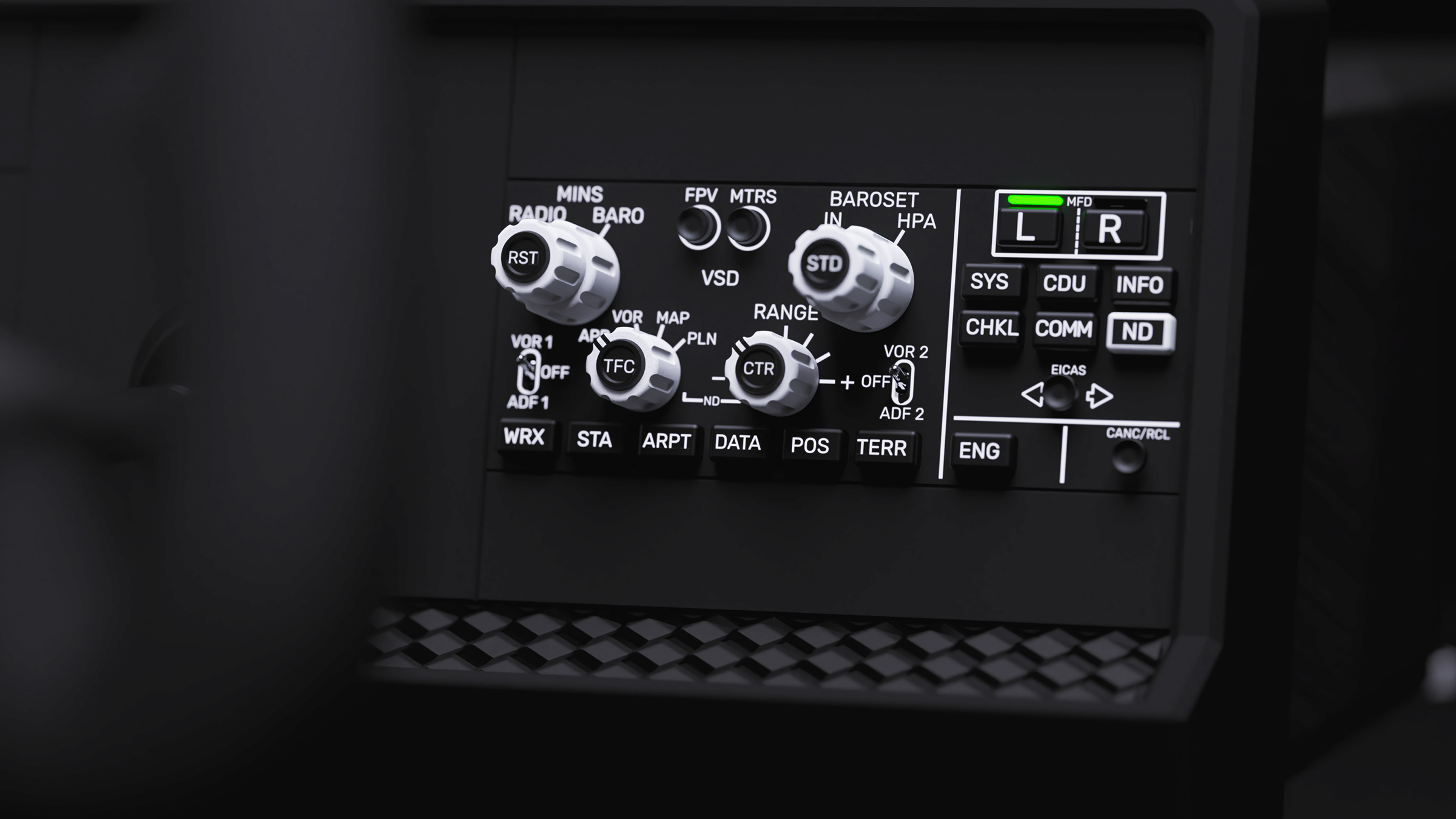
Right Side – EFIS Control Panel:
In the right bay, the hybrid 737/787 EFIS panel provides full Boeing-style flight instrument control, for maximum compatibility across all Boeing models. The module includes all components found in both aircraft with controls to customize the information displayed on the cockpit screens, primarily the PFD (Primary Flight Display) and ND (Navigation Display). The control panel enables you to select display modes like map or compass rose, adjust the display range and select data to be shown, ensuring that critical information like attitude, airspeed, altitude, and navigation data is presented in a clear and customized format relevant to the current phase of flight.
General Aviation Modules
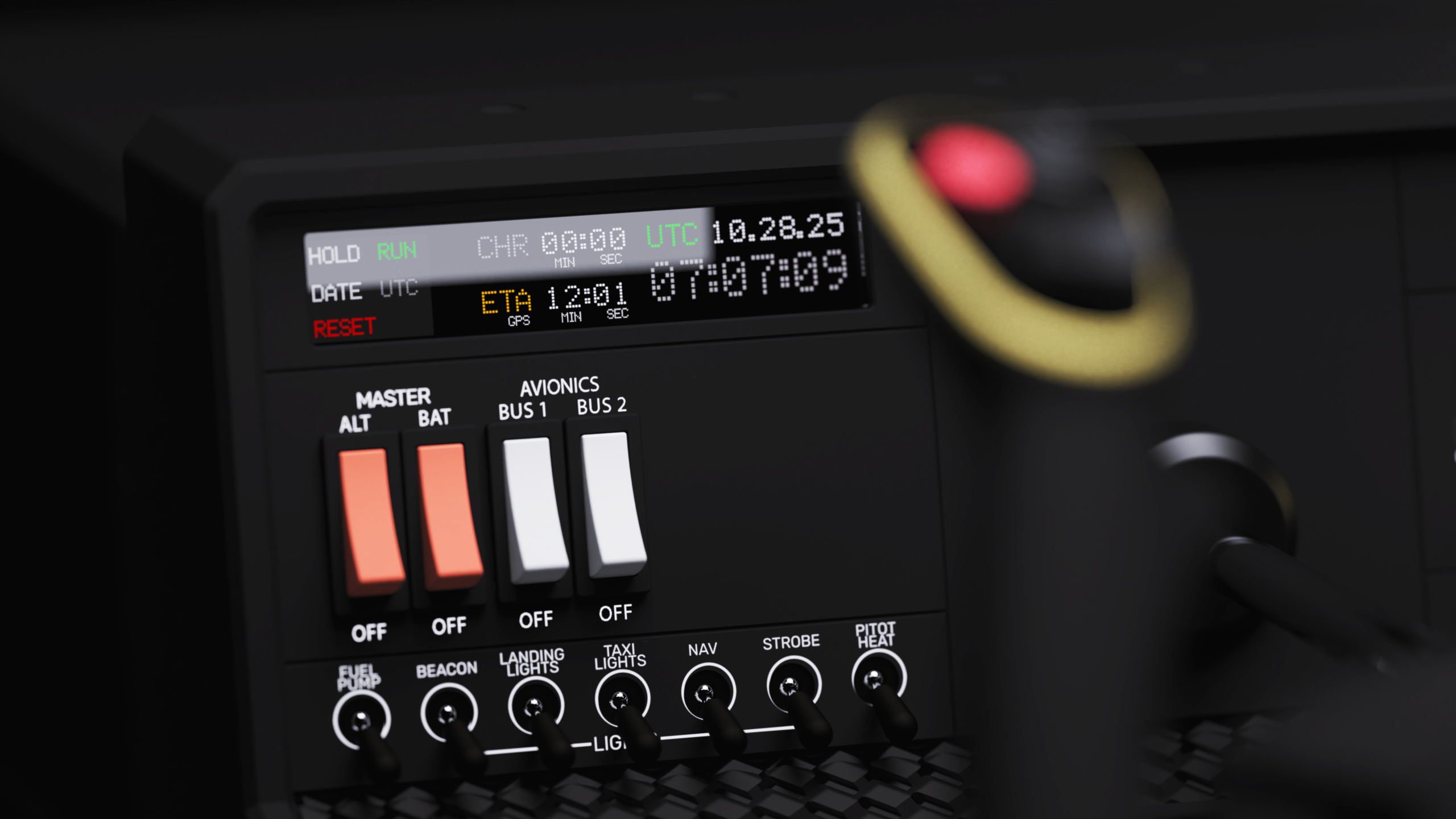
Left Bay – Ignition Switch Module
The GA configuration focuses on the essentials of a light aircraft cockpit. In the left bay, you can install the ignition/start module appropriate for your aircraft. For single-engine planes, this module provides a realistic magneto ignition key switch (with OFF-RIGHT-LEFT-BOTH-START positions) exactly like in a Cessna 172. For twin-engine GA aircraft, the module can be configured as dual ignition switches or rotary selectors for left and right engines, allowing independent engine start and magneto control for models like the Beechcraft Baron G58 or Piper Seminole. The tactile feedback and spring loading of the starter position on the switches feel just like on the real aircraft, enhancing your startup and engine management procedures.
In GA mode, the touchscreen panel can serve as a versatile avionics display. It offers options like a GPS-driven chronometer (for timing approaches and cross country legs), a mini engine gauge cluster or EGT/CHT monitor, or a simplified annunciator panel showing warnings like low oil pressure or alternator fail. This gives general aviation pilots the flexibility to emulate a variation of cockpit components without additional hardware. The touch interface allows quick interaction, like resetting the timer or acknowledging alerts, complementing the physical switches and keeping the panel uncluttered.
General Aviation Switch Cover
The GA magnetic cover labels the seven toggles to match a typical light aircraft’s panel layout. For example, a Cessna 172 or Piper Seminole has grouped toggles for Beacon, Nav (Position) lights, Strobe, Landing Light, Taxi Light, as well as system switches for Fuel Pump and Pitot Heat. The Horizon’s GA cover neatly organizes the toggle bank into these groups, mimicking the left-to-right order you’d typically see in those cockpits

Right Bay – Master & Avionics Panel
The right bay in GA mode holds the electrical panel module. This includes a Master Battery switch and Alternator switches as well as two Avionics Master switches to control your avionics bus. The layout mirrors common general aviation panels, like the Cessna 172. The module’s switches are grouped and labeled to make sense across multiple GA aircraft, providing an instantly familiar workflow for pilots.
Control Surfaces & Mechanics
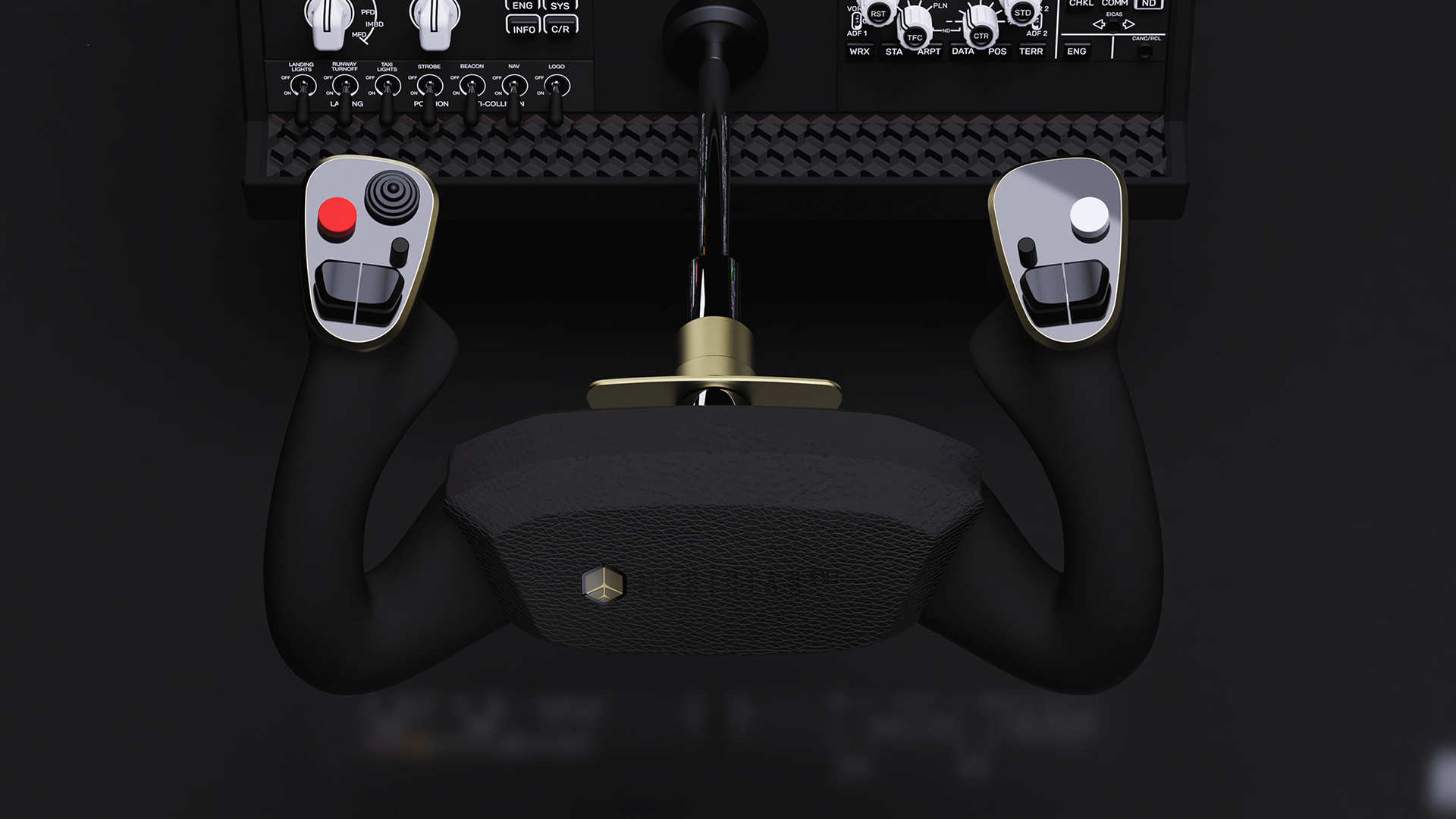
The Horizon Plus’s primary controls – its yoke movement axes – are engineered for both authenticity and enhanced training capability:
Steel Shaft & 180° Roll Axis
Steel Shaft & 180° Roll Axis: The yoke is built around a robust steel shaft with a quick-release mount. It provides a full 180° of roll rotation with state-of-the-art Quantum Leap™ 16 Bit TMR Sensor (90° to each side from center) with zero center detent for smooth, continuous control inputs. Whether you’re flying a Cessna or a 777, you’ll get the full range of a real yoke’s turning motion, essential for steep turns and crisp bank control. The all-metal shaft, running on dual precision bearings, ensures there’s no flex or wobble – just a solid, column-like feel through the entire roll range.
Asymmetrical Pitch Deflection™ (APD)
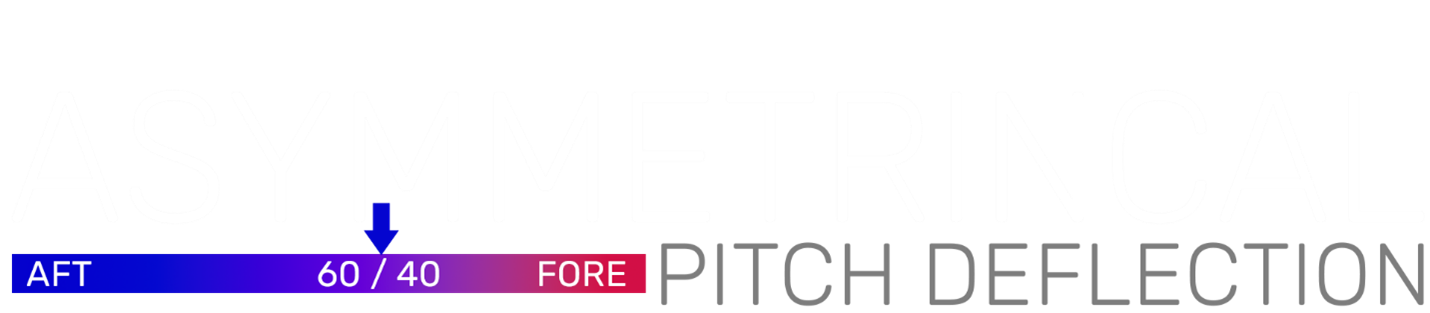
Pitch control on the Horizon Plus is both innovative and realistic. The yoke offers 5.6 inches (14.1 cm) of total pitch travel with a 60/40 – 3.35 in/2.25 in (85 mm/56 mm) aft-forward bias – meaning there is about 60% of total travel available when pulling back (aft) and 40% when pushing forward, to provide maximum deflection in critical phases of flight like rotation on takeoff, IFR precision approaches (and VFR), flaring on landing, and practicing stall recovery procedures. By extending the aft throw, the Horizon Plus provides higher resolution in the back-pressure range, beneficial where subtle elevator inputs make all the difference. Meanwhile, the forward pitch range, which is naturally used less aggressively (since most aircraft don’t require extreme nose-down inputs in normal flight) – is slightly shorter but kept in a 1 to 1 ratio to aft deflection on the initial 60% – 1.2 in (30 mm) of travel (adjustable), providing a linear response fore and aft, during typical control input scenarios, like descent and approach. This in practice, means that Horizon Plus provides the longest aft pitch deflection of any available yoke on the market, without requiring a larger base footprint.
Within the center or neutral range, the pitch response remains linear and smooth, so corrections during cruise or approach are extremely precise and predictable. As you pull back, the increase in available travel helps prevent over-rotation and lets you really “feel out” the flare and stall buffet in the simulator, much like a real aircraft where the yoke gets heavier and needs larger movement as you approach the critical angle of attack. The benefit of the asymmetry is improved realism in pitch handling: you can make large aft inputs without hitting a mechanical stop too early, and the increased throw provides a better analog “signal” for the simulator to interpret subtle differences in extreme pitch inputs.
The asymmetrical travel means the yoke’s forward throw is a bit shorter than some symmetrical designs, but in real-world flying, forward pitch inputs beyond 60% only occur in rare, adverse scenarios such as stall recovery, trim misconfigurations, or sudden updrafts — and in these moments, pilots must rapidly command near-full forward deflection to reduce angle of attack. The Horizon Plus’s asymmetrical pitch axis is engineered around this reality: it provides extended aft travel where the majority of larger flight control inputs happen, delivering finer precision for climbs, flares, trimming, and attitude control, while its shorter forward range enables faster access to full authority during critical recovery situations. The result is a control feel that mirrors real aviation ergonomics — precise where it matters, decisive when it counts.
The pitch axis uses 16 Bit HD Magnetic Hall Effect sensors, providing an unparalleled level of precision and ultra-fine position tracking and unmatched durability – essentially, zero sensor wear, even after years of use.
Yoke Handle Design & Controls
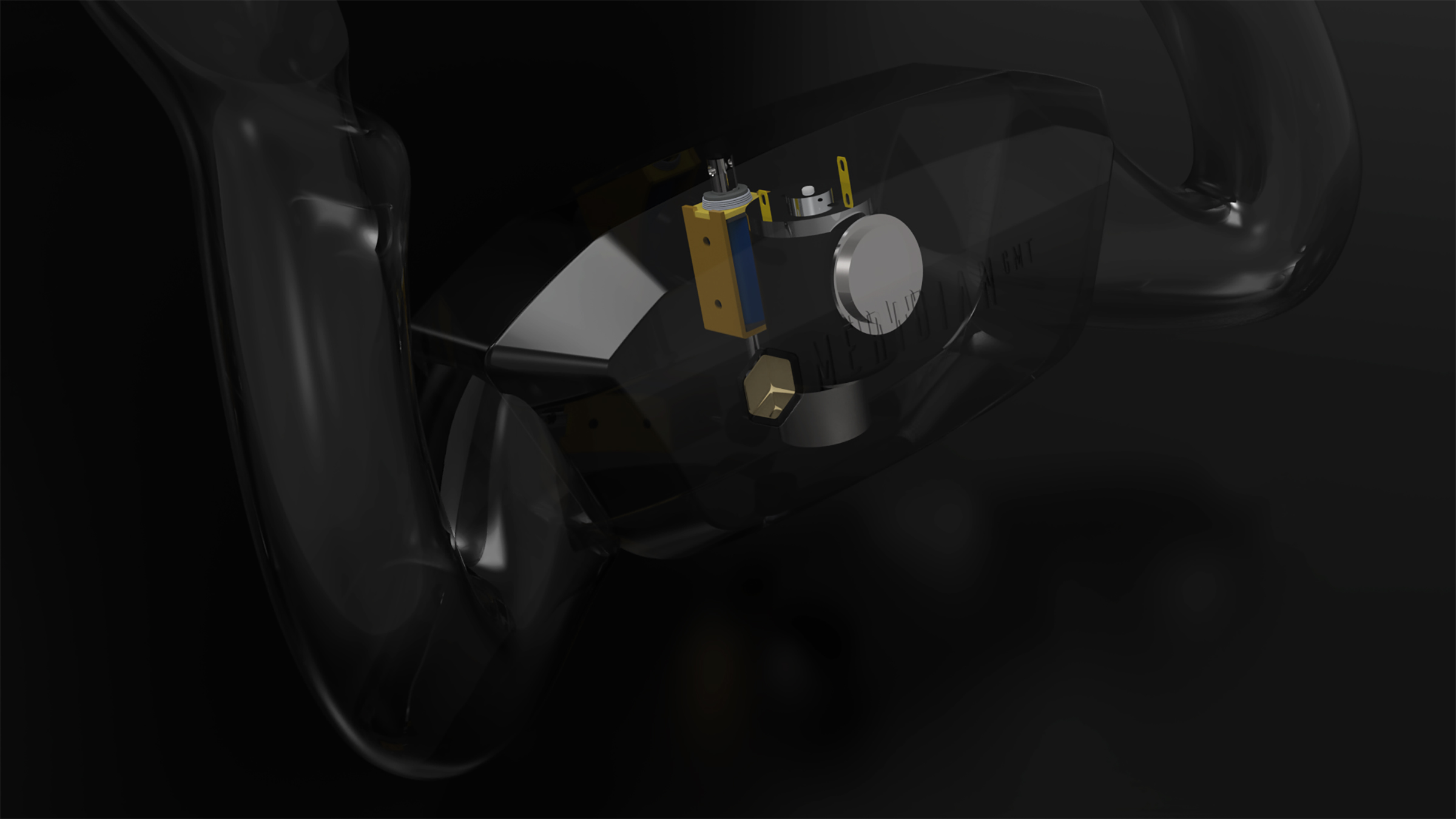
The Horizon Plus yoke handle has been meticulously designed for comfort, realism, and full functionality for both single-pilot and crewed operations.
Ergonomic Design
The handle features a forward-curving design that provides clear space to accommodate a centrally mounted tablet or clipboard on the yoke’s center cap. This mimics the clearance in real aircraft where pilots often have an iPad or checklist on the yoke column. The grip shape is the result of advanced ergonomics studies – it’s perfectly contoured with molded thumb rests and finger position, ensuring maximum comfort and reduced fatigue during long haul flights or extended training sessions. The handles are finished in a premium satin finish coating for a luxurious feel that also provides a secure, non-slip grip.
Buttons and Switches
All standard yoke controls are present and thoughtfully integrated: A dedicated Autopilot Disconnect (A/P DISC) button is positioned for easy thumb access, just like on real aircraft yokes, allowing instant autopilot disengagement without losing your grip. Three additional programmable buttons are strategically placed (for functions like Push-to-Talk, ident, or other cockpit functions you may need frequently). An 8-way hat switch on the left thumb position provides panoramic view control or trim control as needed, with a smooth yet tactile movement.
“Invisible” Triggers and Shoulder Buttons
On the front and rear of each grip, you’ll find integrated trigger switches that blend into the design. These index-finger triggers buttons can serve as rudder control and differential brakes when rudder pedals aren’t available. They’re discreetly built into the shape, so they don’t spoil the authentic look and feel of the yoke, but they’re exactly where your fingers expect them to be.
Dual Rocker Trim Switches
Each horn of the yoke includes a dual two-way rocker trim switch on each horn, mirroring the trim switches found on Boeing and many GA aircraft yokes. Having one on each side means whether you’re flying as Captain in Command or First Officer, trim is in the right place. These rocker switches have the proper feel and are wired for dual-channel trim control, so they can replicate an aircraft’s electric trim system (including cut-out logic if your sim aircraft models it). They can also be repurposed for other needs if an aircraft doesn’t use electric trim on the yoke.
Center Cap & Accessories
The center of the yoke is finished in the same premium leather-textured surface giving it a high end feel and appearance. This cap conceals a magnetic attachment point for the included iPad or clipboard mount. You can quickly snap a tablet holder on and off without ugly clamps, keeping your cockpit setup clean. The mount is positioned so you can use an EFB or checklist in VR or home cockpit scenarios realistically.
Magnetic Mount
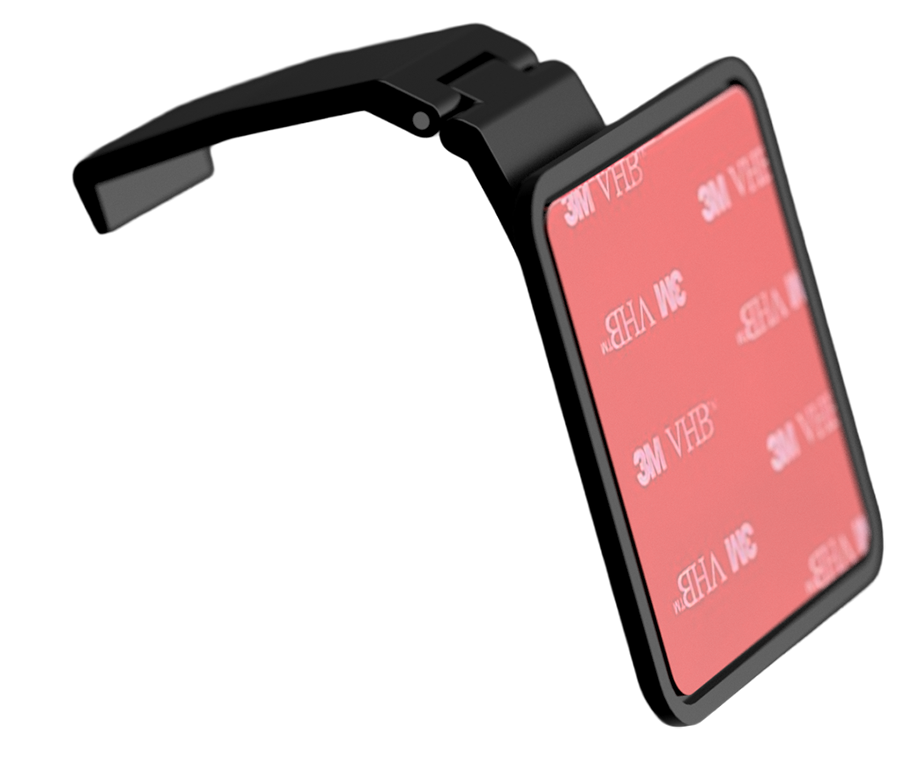 The center cap of the handle is fitted with a magnetic mounting point that provides quick attachment and removal of iPad’s*, Tablet’s* & Clipboards, equipped with the Magnetic Yoke Mount with double-sided 3M adhesive (Yoke Mount Sold Separately – $9.99).
*Attach on back of case, not directly onto iPad/Tablet
Quick Release Mechanism
The yoke handle attaches to the shaft via a secure quick-release mount. This makes the yoke compatible with the Dual-Shaft system, transforming the pitch motion to pedestal rotation, floor mounted stick or a helicopter cyclic (available after launch).

Impulse™ Dual‑Phase
Haptic Feedback System
The Impulse™ Dual‑Phase Haptic Feedback System uses two independent actuators.
The low‑frequency vibration motor reproduces the feedback from aircraft systems like, Stick Shaker, Overspeed (Vne) & Autopilot Disconnect, and tremors like engine rumble, ground roll and airframe buffeting, while the high‑speed impact actuator delivers crisp bumps for touchdown, flap and gear transitions, trim changes and turbulence.
Our TouchDownSense™ and AeroVibe™ algorithms blend these signals in real time to match aircraft type, flight phase and events like an actuator bump from turbulence in combination with after-tremors from the vibration motor, giving your hands authentic cues from takeoff to landing.
Aurora™ Ambient Light — Cockpit in Color
The Aurora™ Ambient Light panel transforms your flight deck with customizable ambient lighting. Enhance the colors to runway edge lights, taxiway guidance, beacon strobes or storms to mirror the world outside, or choose your own palette for mood lighting during cruise. Aurora™ synchronizes the Ambient Light between the Latitude Plus Throttle Quadrant and the yoke, to produce one combined optical feedback system.
USB-C Hub Integration: A built-in USB‑C hub on the base provides both data and power pass-through. You can plug in additional peripherals or panels (like a separate radio stack or tablet) directly into the yoke base, reducing cable clutter. 3rd party 5V DC power adapter can plug into the base to provide extra power for devices, ensuring all your avionics stay powered through the longest flights.

Sentient FlightDeck Intelligence™
Sentient FlightDeck Intelligence™ is our onboard smart configuration system that continuously monitors the Horizon Plus’s sensor and module status. When you swap an avionics module, SFI detects the new hardware configuration and automatically reconfigures the yoke to match. In practice, this means if you switch from a GA setup to the Boeing setup, SFI will instantly load the correct control profile, adjust axis calibrations, and enable all the appropriate functions for the active panel – no manual tweaking required. It ensures perfectly aligned controls (for example, synchronizing the yoke’s configuration with the throttle quadrant’s lever setup and the on-screen aircraft).
As part of SFI, our Aircraft Profile Assurance program, managed by our team of pilots and flight-sim specialists, meticulously crafts and calibrates each aircraft profile. Every profile in SFI is tuned so that the hardware’s travel and detents precisely match the aircraft’s needs – whether that’s the yoke’s pitch curve or the throttle’s detent positions – making swapping aircraft a completely hands-off experience.
You can still customize any profile in your sim (for instance, reassigning a toggle switch to a custom function). Once you save a custom profile, SFI will remember it and automatically load your version whenever that configuration is detected again. That’s the power of a truly sentient flight deck – adaptive, intelligent, and seamless, so you can focus on flying instead of futzing with settings.
Mounting Options
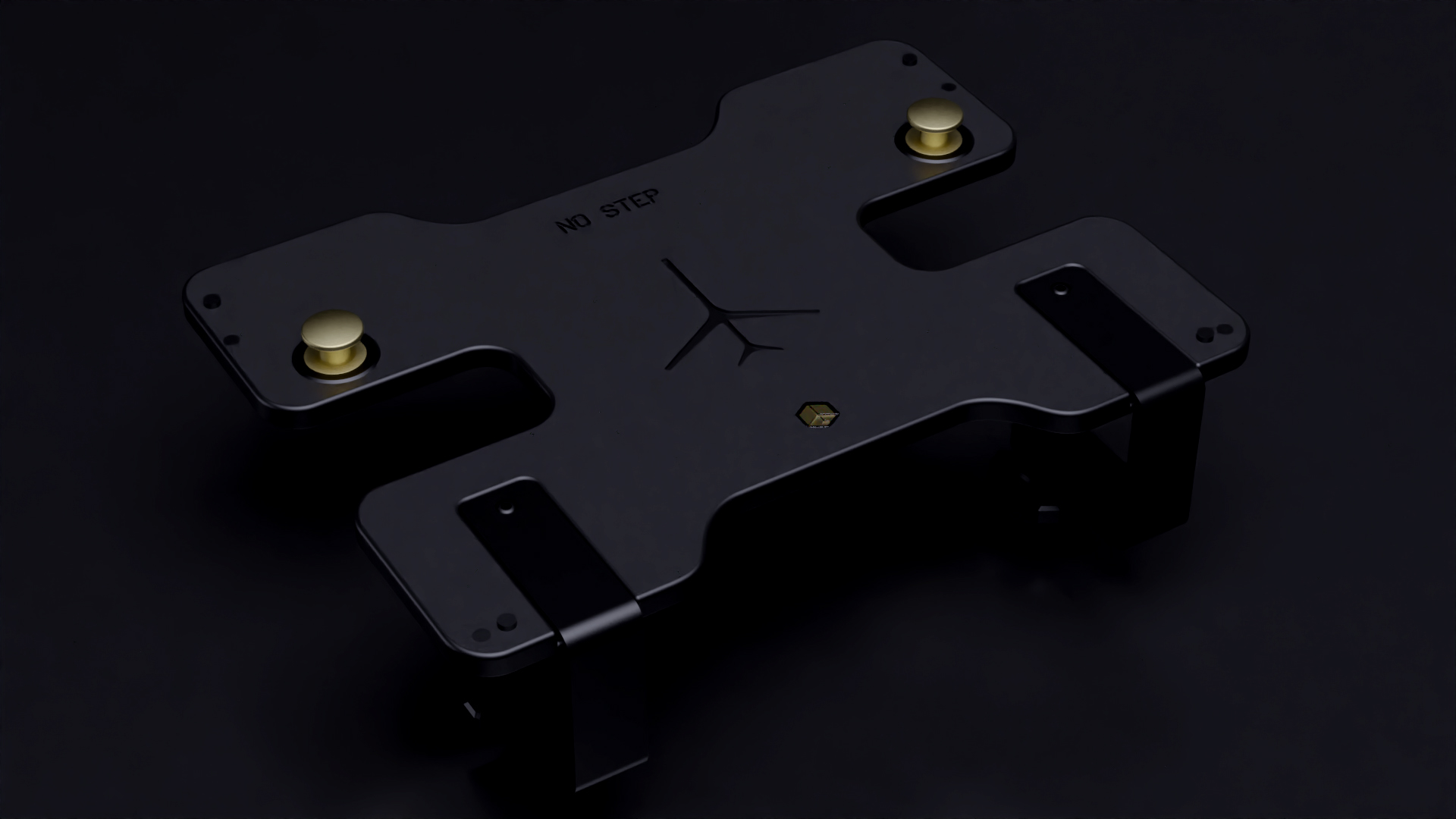
Table Mount
(Included)
The included heavy duty table mount features dual aluminum T-plates that slide into the bottom of the throttle base and lock into position, using the quick‑release CAM locks on each side of the base. You can secure the throttle to your desk without tools using the included solid metal clamps. Alternatively, it can be secured to the table, or fix mounted, using the 4 recessed screw mounts.
Under‑Table Mount
(Sold Separately)
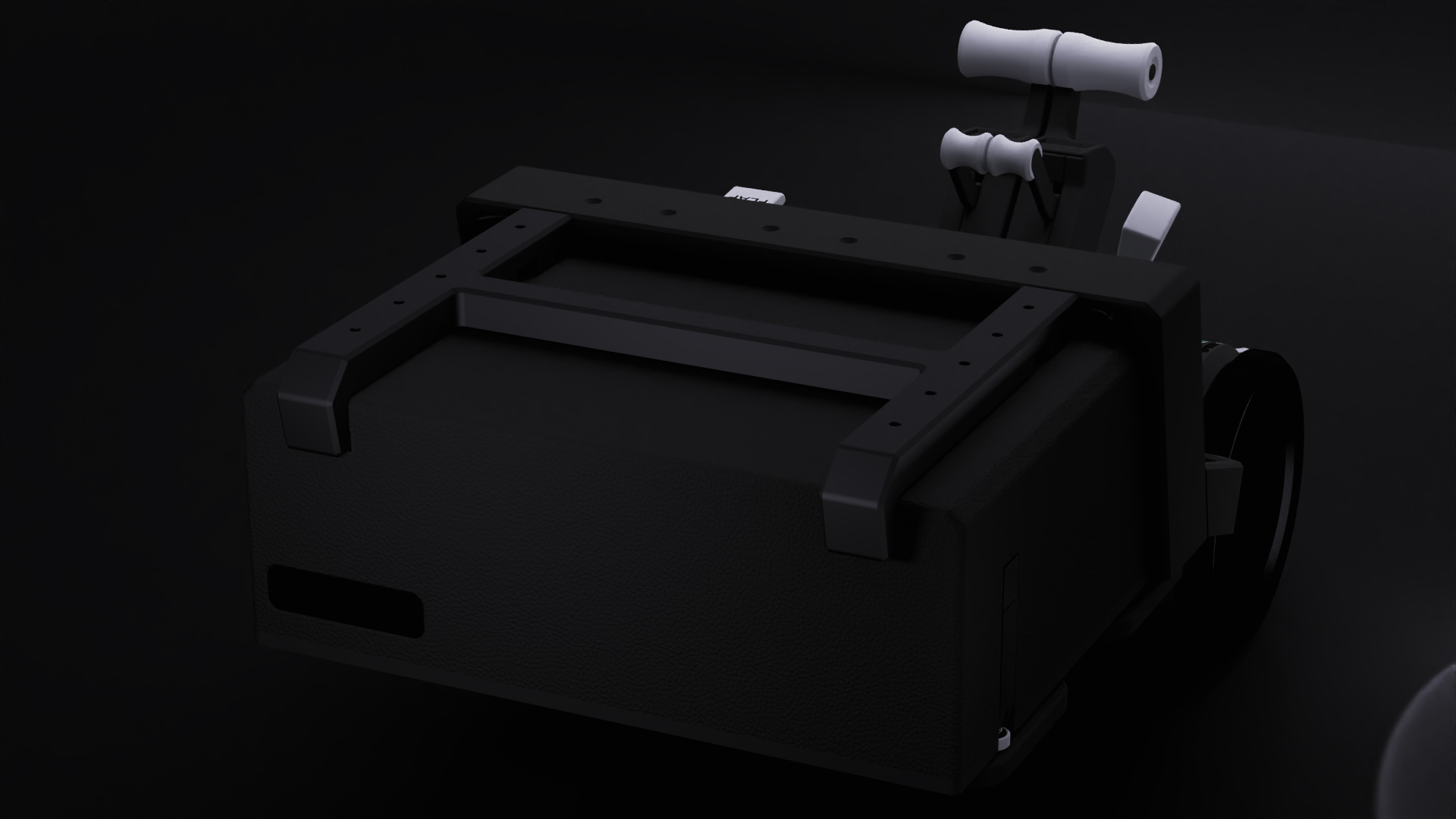
Our under‑table mount screws into the underside of your desk to provide a flush and unobstructive mounting option that doesn’t get in the way when the desk is used for other purposes. The lowered position of the mount provides a more true-to-life cockpit environment and better ergonomics, while keeping the desktop unobstructed and clutter‑free in the process. The integrated USB‑C passthrough connector aligns with the USB-C hub on the back of the metal frame and automatically connects the throttle to your PC when docking. The flexible fore and aft positioning of the mount lets you tailor ergonomics to your seating position, making this mount ideal for dedicated rigs and custom cockpits.
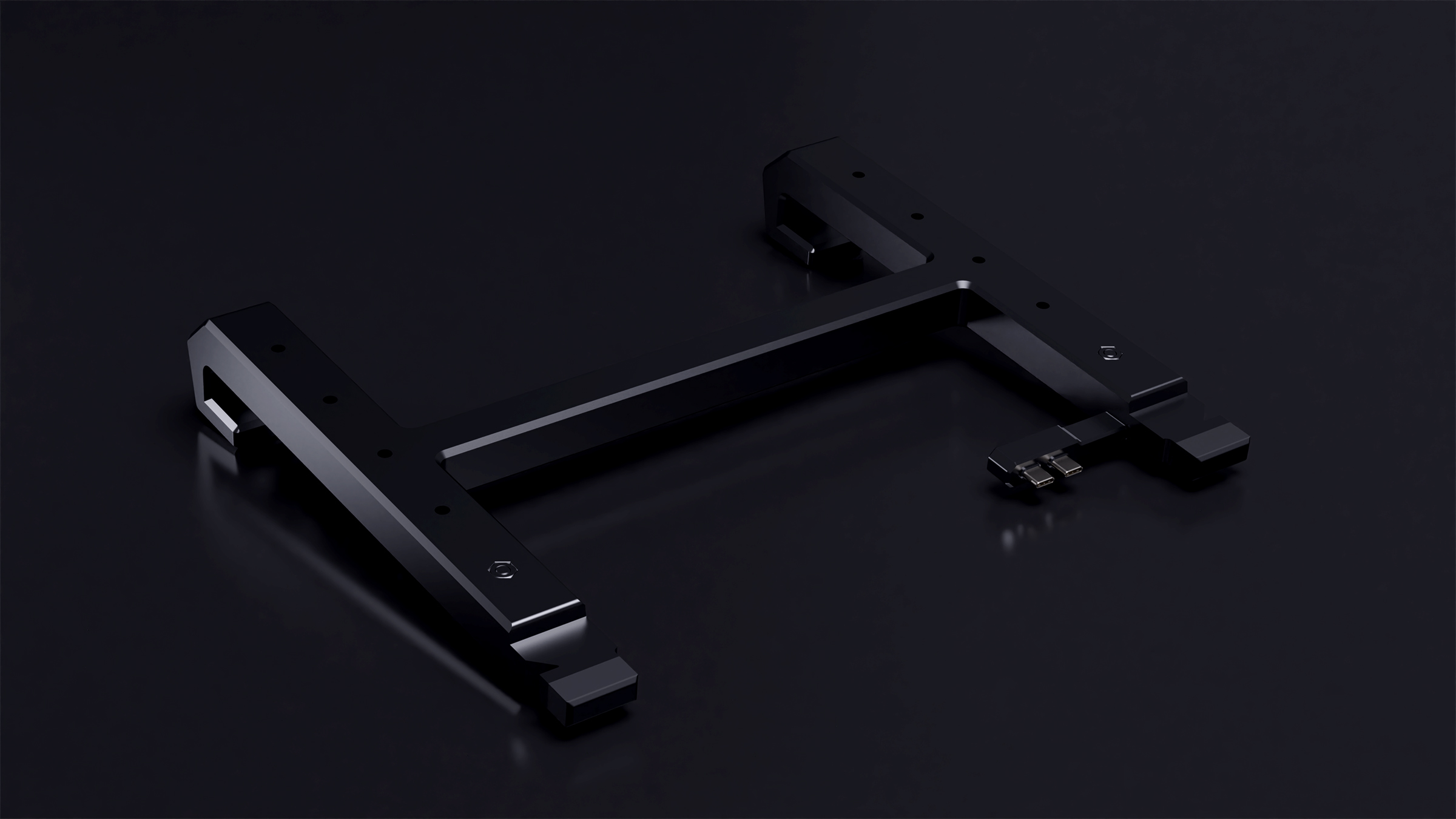
Under‑Table Mount
Clamp Kit
(Sold Separately)
For desks where drilling isn’t an option, the Under‑Table Mount Clamp Kit attaches onto the Table Mount, while utilizing the standard steel clamps from the included table mount to secure the under‑table rails. The Kit provides a tool‑free solution to attach the mount to most surfaces without permanent modification. The included tabletop platform replaces the obstructed mounting points for avionics and, together with the clamp covers, provides a clean finish and transition between the Latitude and Latitude Plus Flight Controls.